
What is Cloud Hosting? Benefits, Features & Use Cases Explained

The global shift toward instant digital experiences has fundamentally changed how we evaluate web hosting technologies. Traditional web infrastructure, which relies on a single physical machine, frequently buckles under the weight of sudden traffic spikes. This architectural limitation is exactly why modern enterprises and scaling startups are migrating to modern cloud ecosystems.
But what exactly makes this technology a massive leap forward? Simply put, cloud hosting replaces the constraints of traditional hardware with a decentralized network of virtualized resources. This transition directly impacts core operational metrics like server performance, data protection, and localized network speed.
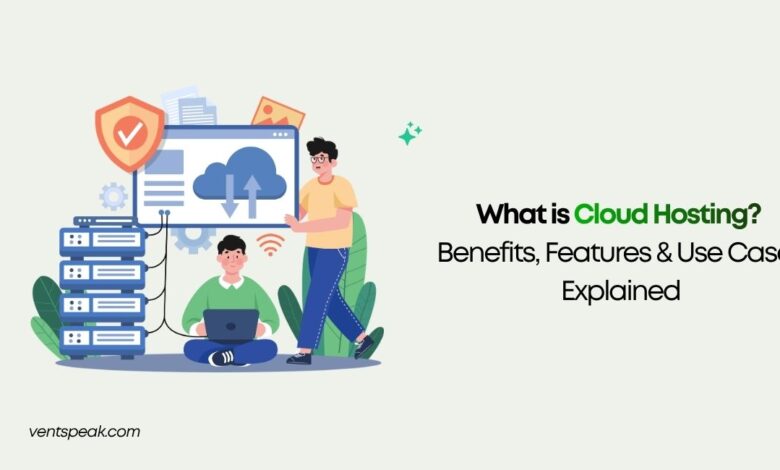
Cloud hosting is a decentralized web hosting model that distributes websites and applications across an interconnected network of virtual and physical servers. Rather than relying on a single physical server, cloud hosting leverages virtualization to provide automated scalability, continuous uptime through hardware redundancy, and a highly efficient pay-as-you-go pricing structure.
How Cloud Hosting Works
Traditional architectures like entry-level shared servers or fixed VPS hosting bind your website to the constraints of one machine. If that physical hardware undergoes maintenance or experiences a component failure, your application goes offline.
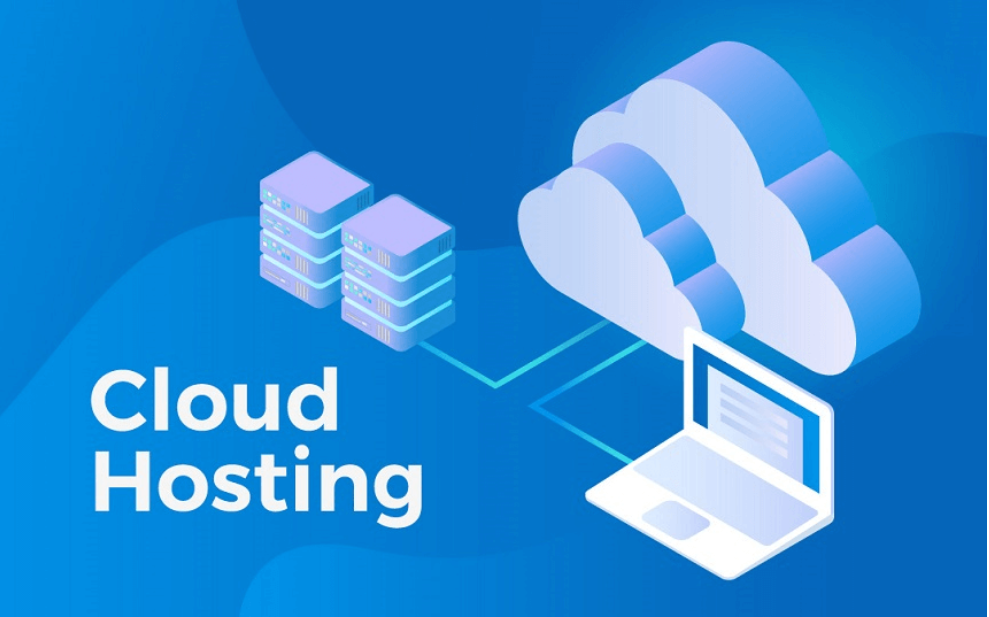
Cloud infrastructure resolves this issue by utilizing a hypervisor to abstract physical server hardware into distinct virtual environments. Instead of a single isolated box, multiple physical servers are grouped into a centralized resource pool.
When a user visits a cloud-hosted platform, the incoming request is processed dynamically through the most efficient node in the cluster. If an individual machine in the network fails, an automated failover protocol triggers instantly. Another virtual instance takes over the workload seamlessly, maintaining absolute uptime without manual engineering support.
The Core Deployment Models of Cloud Architecture
Not all cloud environments are configured the same way. Organizations typically select from three primary deployment models based on their regulatory constraints and performance goals:
Public Cloud
In a public cloud deployment, a massive infrastructure provider—such as Amazon Web Services (AWS), Google Cloud, or Microsoft Azure—manages the underlying hardware. Computing resources are shared dynamically among multiple tenants using isolated virtual instances. This approach offers maximum scalability and budget flexibility, making it the standard choice for WordPress hosting, application testing, and growing digital storefronts.
Private Cloud
A private cloud provides a fully isolated, dedicated infrastructure reserved exclusively for a single organization. It combines the resource management and flexibility of virtualization with the physical isolation of dedicated hardware. This model is preferred by financial institutions, government organizations, and healthcare networks that require strict compliance monitoring.
Hybrid Cloud
Hybrid cloud architectures bridge public cloud infrastructure with private cloud components. This allows enterprises to store highly sensitive, regulated customer databases within their private perimeter while routing customer-facing applications through the public cloud to absorb volatile traffic swings.
Read More Blog: Web Hosting and Server Management: The Complete Guide
Essential Technical Features of the Cloud
To understand why cloud systems outperform legacy environments, it helps to analyze the four structural components that define modern cloud services:
- Virtual Resource Pooling: Advanced software slices monolithic hardware into highly flexible virtual units. This ensures processing power can be redistributed dynamically across the cluster on demand.
- Automated Elasticity: Cloud platforms monitor incoming requests continuously. If traffic crosses a pre-set threshold, the system automatically allocates additional CPU cores and RAM to prevent performance degradation.
- Distributed Hardware Redundancy: Data is mirrored across multiple storage arrays within the network. If a physical storage drive fails, redundant copies are accessed instantly to preserve data integrity.
- Utility-Based Billing: Instead of paying a fixed monthly premium for unutilized hardware, cloud structures use granular, pay-as-you-go pricing. You are billed precisely for the computing hours, memory, and bandwidth your software consumes.
Comprehensive Structural Comparison
| Performance Factor | Traditional Fixed Servers | Distributed Cloud Infrastructure |
| Scaling Architecture | Manual hardware upgrades (Vertical) | Automated on-the-fly provisioning (Horizontal) |
| System Failover | High risk of a single point of failure | Automated auto-failover to active hardware nodes |
| Cost Predictability | Fixed monthly or annual flat-fee contracts | Variable billing based on exact resource consumption |
| Global Speed Adaptation | Requires separate CDN configuration | Native integration with geographically distributed edge nodes |
How We Evaluate Cloud Hosting Infrastructure
When analyzing cloud platform tiers, our benchmarking team uses six core operational metrics to verify real-world enterprise capability:
- Website Speed Optimization: We run deep performance analyses on the host’s network backplane. We test Time to First Byte (TTFB) and verify how cleanly the infrastructure handles intensive caching layers (such as Redis) to maximize delivery speeds.
- Infrastructure Uptime: We review historical data center logs to verify that auto-failover mechanisms execute fast enough to maintain a true 99.99% uptime profile during simulated localized server drops.
- Website Security & Isolation: We evaluate the hypervisor’s ability to prevent cross-tenant security risks. We also check for native security protocols, including automated firewalls, active DDoS mitigation, and end-to-end data encryption.
- Elastic Scaling Latency: We measure the exact speed at which an infrastructure tier spins up additional virtual server power during an artificial traffic spike.
- Developer Feature Accessibility: We review API integration quality, command-line tool performance, native Git tracking, staging environments, and custom network mapping capabilities.
- Support & Documentation Depth: We assess the availability of 24/7 technical engineers alongside the clarity of self-service architecture documentation.
Read More blog:DNS Management 101: Understanding A, CNAME & MX Records
Primary Business Use Cases for Cloud Architecture
High-Volume eCommerce Platforms
Digital storefronts experience severe traffic shifts during flash sales and holiday shopping seasons. A drop in loading speeds during a major sales event directly damages conversion rates. Cloud systems scale up to maintain performance under heavy check-out stress and scale back down when traffic normalizes, keeping hosting costs optimized.
Software-as-a-Service (SaaS) Deployment
Modern software platforms require high computing power, low latency, and global availability. Cloud deployment allows SaaS platforms to serve international audiences by running workloads closer to the end user, ensuring smooth performance regardless of geographic location.
Continuous Integration & Testing (DevOps)
Software engineering teams require agile testing workflows. Cloud environments let developers launch complex temporary staging environments in seconds, run automated code evaluations, and tear down the virtual instances instantly to avoid paying for idle infrastructure.
Practical Hosting Tips & Pitfalls to Avoid
Misconfiguring Auto-Scaling Rules
While automated elasticity prevents site crashes, setting unmonitored scaling limits can create major issues. If a site suffers an unmitigated DDoS attack or an infinite script loop, the cloud infrastructure will continuously add resources to meet the artificial demand. This can result in an unexpectedly high billing statement at the end of the month. Always establish strict hard caps on your scaling rules.
Overlooking Localized Caching Layers
Relying solely on raw cloud processing power to speed up a site is an expensive strategy. By implementing micro-caching, localized object caching, and an integrated Content Delivery Network (CDN), you can serve static pages directly from network edge nodes. This slashes your origin server load, lowers resource consumption, and reduces your overall utility bill.
Implement Managed Cloud Platforms If Engineering is Limited
Raw cloud environments from enterprise providers require professional server administration knowledge. If your team lacks an internal systems engineer, deploy your applications through a managed cloud wrapper. Managed platforms give you all the performance benefits of cloud architecture while handling security patching, operating system updates, and architecture maintenance for you.
Conclusion & Future Web Technology Trends
Cloud web hosting has evolved from a specialized enterprise framework into the backbone of modern digital business infrastructure. By breaking free from the constraints of single-hardware servers, it provides businesses with the reliability, adaptive scaling, and security needed to manage modern web workloads.
Looking forward, cloud hosting technologies are integrating deeper with AI-driven resource allocation, edge computing nodes, and serverless compute frameworks. Future systems will predict traffic spikes before they occur, optimizing server energy efficiency and routing data workloads with ultra-low latency. Building your digital presence on an elastic cloud foundation today ensures your business retains the agility and technical capability to scale efficiently into the future.
Frequently Asked Questions (FAQ)
How does cloud hosting improve website speed optimization and Core Web Vitals?
Cloud hosting boosts speed by processing data requests across a high-efficiency virtual network rather than overloading a single physical processor. When paired with server-side caching and global data routing, it drastically lowers Largest Contentful Paint (LCP) times and prevents page responsiveness delays.
Is cloud infrastructure safe for processing sensitive financial transactions?
Yes, cloud infrastructure is safe when properly configured. Leading cloud platforms offer advanced security protocols that often outpace local on-premises hardware. This includes automated data isolation, integrated firewalls, continuous security monitoring, and encryption for data both at rest and in transit.
What is the difference between cloud hosting and traditional VPS hosting?
A traditional VPS splits a single physical server into fixed virtual compartments. If that specific physical host fails, your VPS goes down. Cloud hosting groups multiple physical servers into a massive network pool, meaning your virtual machine can draw power from any active node in the cluster, protecting your site from hardware failures.




