For small businesses in 2026, the best AI automation tools act as dedicated virtual team members. Platforms like Zapier, Make, and Lindy eliminate tedious workflows across marketing, customer service, and daily operations. They are highly accessible, requiring no coding knowledge to set up.
According to McKinsey research, companies deploying AI automation in client-facing and administrative workflows reduce operational overhead by 20% to 35% within six months. Furthermore, Gartner projects that by 2027, more than 65% of businesses under 100 employees will use at least one AI-powered workflow automation tool, up from under 20% in 2024.
Adopting scalable SaaS systems and machine learning workflows is no longer a future technology trend—it is a current operational necessity for survival and growth.
Top AI Automation Tools at a Glance
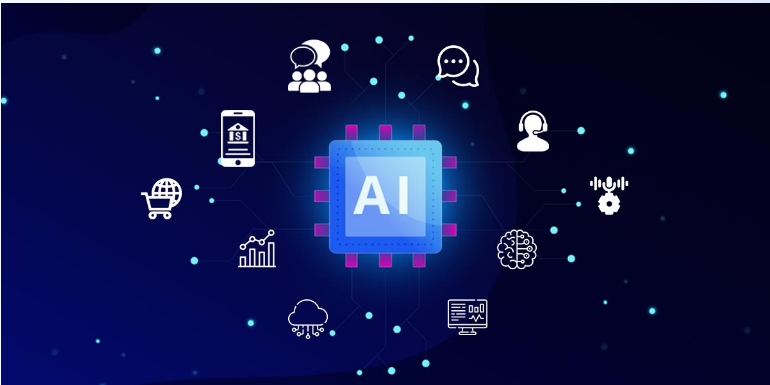
If you are looking for a rapid AI Overview breakdown, here is how the leading business automation platforms stack up based on technical capacity and core utility:
| Tool Category | Best For | Key Platforms | Primary Benefit |
| Workflow Connectors | Beginner to Intermediate integration | Zapier, Make (Integromat) | Links thousands of SaaS tools without code. |
| Agentic AI & Ops | Multi-step reasoning & virtual staff | Lindy, Sintra AI, Relevance AI | AI agents that make decisions and execute complex tasks. |
| Developer / Self-Hosted | Advanced control & data privacy | n8n | Open-source, complex logic, highly cost-effective. |
| Productivity & Content | Embedded workspace AI | Copy.ai, Notion AI | Built-in workflow creation, knowledge bases, and pipeline tracking. |
1. Workflow Automation & Connectors
Standard automation follows fixed “if-this-then-that” rules. However, 2026 technology incorporates native AI steps directly into these connectors to qualify leads, route data, and interpret intent.
Zapier: The Market Leader for Quick Deployments
Zapier remains the most widely deployed workflow automation tool due to its speed of setup and a directory of over 6,000 app integrations.
- How it works: You can easily build automated “Zaps” that use built-in AI to qualify leads, trigger notifications, and route customer data between applications like Slack, Gmail, and Google Sheets.
Read More Blog :Top 5 Gadgets for Your Home Office
Make (Formerly Integromat): Best for Complex Conditional Logic
Make is ideal for moderate to complex workflows where data needs transformation or multi-directional paths.
- How it works: It offers a highly visual drag-and-drop interface, allowing businesses to map out and automate intricate logic and data flows across multiple programs without hiring an engineer.
- The AI Edge: Make’s per-operation pricing model makes it highly cost-efficient. Its AI-specific modules allow teams to include language model steps (such as classification, summarization, and content generation) within larger workflow sequences.
Read More Blog : How to Build a No-Code AI Workflow for Your Business
n8n: The High-Ceiling Open-Source Alternative
Perfect for technical teams or small businesses wanting maximum control over their data infrastructure.
- How it works: It allows for complex, agentic AI workflows and offers the flexibility to be self-hosted, keeping sensitive data safely within your own infrastructure.
- The AI Edge: n8n’s AI Agent node supports multi-step reasoning workflows that go well beyond what Zapier and Make natively offer, though it carries a steeper learning curve involving JSON configurations.
2. Agentic AI & Operations
Unlike traditional trigger-action platforms, Agentic AI involves models that can analyze data, make autonomous decisions, evaluate outputs, and call external tools dynamically based on context.
Lindy: The Ultimate Autonomous Virtual Assistant
Lindy is exceptional for creating smart, task-specific “AI Lindys.”
- Use Case: These agents can handle everything from scheduling meetings and managing emails to extracting data from invoices, acting exactly like a human assistant. It requires zero coding, operating purely on natural language instructions.
Sintra AI: The Out-of-the-Box AI Team
Sintra AI offers an all-in-one “AI team” specifically designed for small businesses.
- Use Case: Instead of building an agent from scratch, you can deploy pre-configured AI agents designed to handle marketing, customer support, data entry, and basic administrative operations simultaneously.
3. Marketing & Productivity Automation
Integrating artificial intelligence directly into your content creation and knowledge management systems delivers an immediate return on investment by recovering hours of manual labor.
Copy.ai: Scaling the Sales Pipeline
Copy.ai has evolved from a simple copywriting application into an enterprise-grade automation asset. It features built-in AI Workflows that automate multi-step processes across your sales pipeline, content creation, and customer success tracking.
Notion AI: Turning Data into an Actionable Wiki
Notion AI integrates machine learning right into your existing knowledge base. It automatically summarizes meeting notes, organizes client documentation, and allows your team to query your company wiki in plain English instead of searching through endless folders.
Strategic Implementation: How to Choose and Deploy Your First AI Workflow
Selecting an automation platform without mapping your workflows leads to tool adoption that stalls at the configuration stage. Structured AI implementation produces 3 to 4 times the ROI of ad-hoc tool adoption.
The 4-Step Decision Framework
- Identify High-Volume Tasks: Pinpoint the rule-based, manual task your team performs most often (e.g., lead follow-up, client onboarding, monthly report generation).
- Assess Technical Capacity: If no one on your team is comfortable with API configurations, start with Zapier. If you want visual complexity, choose Make. For developer-level control, opt for n8n.
- Test with Small Samples: Build your workflow using a pre-built template. Test it with 5 to 10 real records first.
- Monitor and Scale: Let the automation run under supervision for one week before setting it to completely autonomous mode.
Read More Blog :How AI Agents Are Replacing Apps in 2026
Common Mistakes to Avoid
- Automating Broken Processes: Automation scales efficiency; it also scales chaos. Fix a broken workflow manually before embedding it into an AI system.
- Ignoring Data Privacy: Ensure your chosen platform complies with industry regulations. For highly sensitive client records, utilize self-hosted options like n8n.
- Over-complicating the First Build: Your first automation does not need to be the most complex—it just needs to run successfully to build organizational momentum.
Future Technology Trends: The Outlook for late 2026 and Beyond
As we move through 2026, the trend lines point toward hyper-personalized agentic ecosystems. Small businesses will shift away from managing disconnected SaaS tools and toward deploying interconnected networks of AI agents that communicate with one another.
The low barrier to entry offered by tools like Zapier, Make, and Lindy allows small teams of five to fifty people to wield the operational capability of enterprise-level organizations. To stay competitive, small business owners must transition from tactical tool adoption to strategic, workflow-first AI implementation.
Frequently Asked Questions
What is the easiest AI automation tool for non-technical business owners?
Zapier is the easiest AI automation tool for non-technical business owners due to its simple trigger-action interface, extensive library of pre-built templates, and more than 6,000 app integrations. Most common business automations, such as routing form submissions to a CRM or sending Slack notifications from email triggers, can be configured in under 30 minutes with no coding knowledge.
How much does AI automation cost for a small business?
AI automation platform costs range from free tiers to a few hundred dollars per month for premium subscriptions. Additionally, language model API costs (like OpenAI or Anthropic) add roughly $10 to $100 per month at moderate transaction volumes. Most small businesses recover this cost within the first 30 to 60 days via recovered employee hours.
Can AI automation tools replace human employees?
AI automation tools replace specific repeatable tasks rather than whole roles. Automation typically eliminates 20% to 40% of manual work within a position, freeing those hours for higher-value activities that require human judgment, empathy, relationship management, and creativity.
What is an AI agent workflow, and how is it different from standard automation?
A standard automation workflow follows fixed rules: if this happens, do that. An AI agent workflow includes an AI model that makes independent decisions, evaluates the quality of outputs, and calls external tools dynamically based on context. For example, an AI agent can read an incoming customer email, determine the underlying emotional intent, fetch relevant data from a CRM, draft a personalized response, and route it differently based on its own analysis.