

Transform your remote workspace with these five productivity-boosting, smart home office gadgets: an AI-enhanced video bar for professional calls, an ergonomic wireless combo for seamless typing, a temperature-controlled smart mug, a smart speaker for effortless daily scheduling, and an automatic on-air status light to prevent family interruptions.
Why Upgrading Your Workspace Matters for AI Workflows
In the modern remote work era, your home office is more than just a desk and a chair—it is an ecosystem where human ingenuity meets machine learning efficiency. Deploying advanced business automation and smart hardware directly minimizes cognitive friction, streamlines digital workflows, and maximizes output.
Integrating specialized AI tools and scalable SaaS systems into your physical workspace allows professionals to automate repetitive administration, maintain deep focus, and seamlessly scale operations.
Best Home Office Gadgets at a Glance
| Gadget Category | Featured Example | Primary Benefit | Key AI/Automation Feature |
| AI Video Bar | AnkerWork B600 / Poly Studio | Eliminates poor lighting and background noise during calls | Real-time machine learning framing and noise cancellation |
| Smart Environment Sensor | CubeSensors / SensorPush | Tracks and optimizes indoor air quality, light, and temperature | Predictive environmental health alerts via mobile app |
| Smart Audio & Virtual Assistant | Amazon Echo Dot (5th Gen) | Hands-free management of daily schedules and SaaS integrations | NLP (Natural Language Processing) voice automation |
| Network & Firewall Security | CUJO Smart Firewall / Eero Mesh | Secures sensitive corporate data from cyber threats | AI-driven behavioral analysis to block network intrusions |
| Smart Temperature Control | Ember Mug 2 | Maintains optimal beverage temperature to sustain focus | Precise IoT sensor micro-adjustments via app |
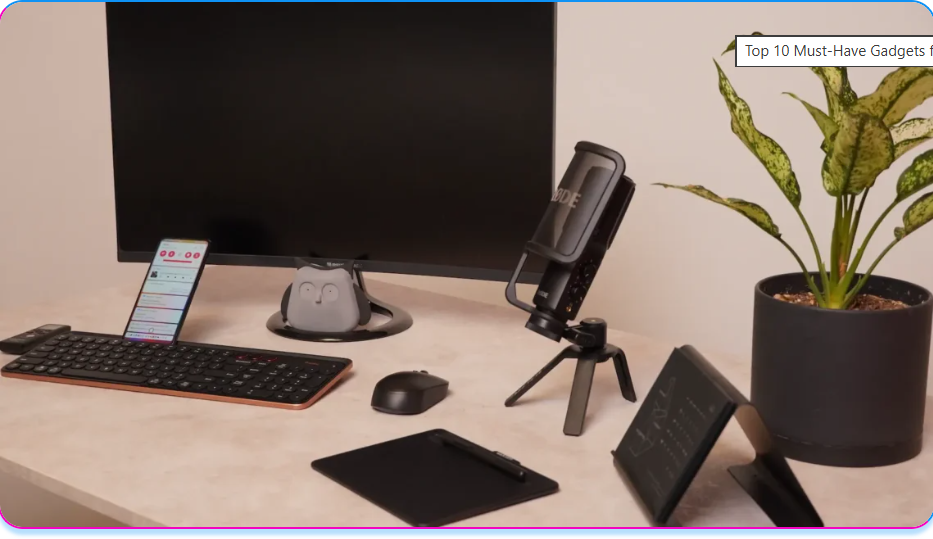
Top 5 Gadgets for Your Home Office
1. AI-Integrated Video Bar (e.g., AnkerWork B600 or Poly Studio)
What it is: An all-in-one audiovisual hub that combines a high-definition camera, intelligent lighting, and an array microphone into a single sleek desktop unit.
How it Automates Your Workflow
Clear communication is essential for remote work. An all-in-one smart video bar handles your lighting, microphone, and camera in a single sleek unit. Many models use artificial intelligence to automatically adjust lighting, reduce background noise, and re-frame the shot if you shift around. This ensures you look professional and polished on Zoom or Teams calls without setting up multiple lamps and wires.
- Real-World Application: Enterprise consulting professionals use these devices to maintain eye contact and balanced exposure automatically during high-stakes pitch meetings, allowing them to focus entirely on the presentation rather than hardware adjustments.
2. Environmental Smart Monitor (e.g., CubeSensors)
What it is: A sensor-stacked wireless cube designed to monitor and optimize your physical workspace variables including temperature, humidity, noise levels, and air quality.
How it Automates Your Workflow
Physical comfort directly correlates with cognitive output. Smart environment monitors constantly analyze ambient conditions that cause fatigue or loss of focus. By shaking the device or checking its companion app, it signals whether your room is too hot, cold, bright, or stuffy, allowing you to proactively adjust your environment.
- Real-World Application: Software engineers running intensive code deployments utilize environment sensors to maintain optimal oxygen and temperature levels in their offices, keeping them in the workflow “zone” during long coding sprints.
Read More :GEO Explained: How Generative Engine Optimization Works Alongside SEO
3. Smart Network Firewall & Mesh WiFi (e.g., CUJO Smart Firewall / Eero Mesh)
What it is: A cloud-managed security device and router ecosystem that monitors home network traffic to block malware, phishing, and hacking attempts at the hardware level.
How it Automates Your Workflow
Working from home means that it is essential to have a strong, fast, and secure WiFi network. Unlike corporate environments protected by expensive onsite enterprise security systems, home offices are highly vulnerable. Smart firewalls utilize machine learning to analyze data packets in real-time, instantly isolating compromised smart devices or laptops before they can leak sensitive client or SaaS system data.
- Real-World Application: Remote financial analysts and SaaS administrators use smart firewalls to fulfill strict data compliance requirements, guaranteeing that local network vulnerabilities cannot expose corporate databases.
4. Smart Speaker with Virtual Assistant (e.g., Amazon Echo Dot)
What it is: A compact, voice-activated smart speaker powered by natural language processing algorithms that serves as a hands-free personal assistant.
How it Automates Your Workflow
A compact smart speaker handles a lot of the digital friction in your day. You can use simple voice commands to set drinking water reminders, control smart lights, or add tasks and meetings to your calendar on the go. This acts as a localized automation layer for your physical office environment, freeing up mental bandwidth.
- Real-World Application: Project managers use smart speakers to verbally trigger automated task sequences, dictate quick notes while typing, or sync calendar invites across decentralized teams without stopping their manual work.
5. Temperature Control Smart Mug (e.g., Ember Mug 2)
What it is: An IoT-enabled (Internet of Things) beverage mug equipped with internal heating elements and temperature sensors controlled via smartphone.
How it Automates Your Workflow
Stop running to the microwave to reheat your morning coffee. The Ember Mug 2 maintains your preferred drinking temperature (between 50°C to 62.5°C) for up to 1.5 hours on its charging coaster or all day if kept on the desk base. By removing minor household distractions, it prevents micro-breaks that fracture your attention span.
- Real-World Application: Creative directors and content strategists use smart mugs to keep drinks at the exact temperature preferred during deep-work design sessions, avoiding the disruption of leaving the desk.
How We Evaluate: Our Methodology for Smart Office Hardware
To ensure our recommendations meet the standards of cutting-edge technology ecosystems, we analyze home office gadgets using 6 distinct evaluation criteria:
- Automation Capabilities: Does the gadget operate autonomously or reduce manual digital friction?
- Ease of Integration: How smoothly does the device connect with existing SaaS tools, operating systems, and smart home ecosystems?
- Innovation & Tech Stack: Does the hardware leverage machine learning, computer vision, NLP, or modern IoT advancements?
- User Experience (UX): Is the interface, app configuration, and daily operation frictionless?
- Industry Relevance: Does this gadget address the specific challenges of modern remote workers, digital creators, and tech professionals?
- Customer Feedback & Reliability: What do long-term data trends and verified user reviews say regarding device durability?
Implementation Strategies & Practical Insights
Deploying a smart home office requires strategic planning. To maximize your return on investment, consider the following implementation roadmap:
- Map Out Your Vulnerabilities: Identify where your productivity drops. If it is background noise, prioritize an AI video bar. If it is network lag, update your mesh system.
- Unify the Ecosystem: Connect your smart gadgets to a centralized dashboard or voice assistant to ensure cohesive automation chains.
- Establish Boundaries: Use automated status lights synced to your calendar apps to visually signal your availability to family members automatically.
Common Mistakes to Avoid
- Overcomplicating the Setup: Buying too many niche gadgets at once can create a cluttered desk and fragmented workflows.
- Ignoring Network Security: Adding multiple IoT gadgets (smart lights, smart mugs) increases your network’s attack surface; always secure them behind a dedicated firewall.
- Neglecting Ergonomics: Aesthetic items should never replace ergonomic prerequisites like a supportive chair, a proper keyboard, or an adjustable laptop stand.
Conclusion: The Future of the Automated Workspace
Optimizing your home office with smart, automated gadgets is no longer a luxury—it is a competitive necessity for thriving in a remote ecosystem. Transitioning away from fragmented, analog tools toward cohesive, AI-enhanced systems allows professionals to eliminate environmental friction, secure critical data, and optimize daily workflows.
As future technology trends lean heavily into generative search and autonomous systems, the hardware you deploy today will dictate your baseline efficiency tomorrow. Focus on scalability, security, and smart integration to turn your workspace into an automated productivity engine.
Frequently Asked Questions (FAQ)
What is an AI video bar and how does it improve remote meetings?
An AI video bar is an all-in-one conferencing device that leverages computer vision and machine learning algorithms to automatically handle framing, adjust exposure based on room lighting, and filter out background noises like dogs barking or keyboards clicking.
Are smart firewalls necessary if my laptop already has an antivirus software installed?
Yes. Antivirus software only protects the specific machine it is installed on. A smart hardware firewall works at the router level, monitoring all network traffic to block hackers from accessing your network through vulnerable smart home devices, protecting your entire home office network ecosystem.
How do environmental sensors improve daily productivity?
Environmental sensors track hidden metrics like rising carbon dioxide ($CO_2$) levels, poor humidity, or inadequate lighting. When these levels deviate from optimal parameters, they trigger lethargy and brain fog. Monitoring these allows you to make corrections before your performance degrades.