
The global internet landscape is evolving at a breakneck pace. With the rise of real-time AI inference workloads, massive containerized web applications, and dynamic e-commerce pipelines, standard entry-level web hosting architectures often fall short. Modern digital platforms demand isolated environments, customized security boundaries, and predictable performance.
When your application outgrows basic web infrastructure, the most strategic step up is a virtual private server (VPS). Choosing a virtual private server bridges the gap between affordable shared resources and costly dedicated hardware footprints, making it a cornerstone setup for modern developers and scaling small-to-medium enterprises (SMEs).
This ultimate structural guide covers everything you need to know about a VPS, how virtualization functions behind the scenes, and how to pick the right deployment framework for your tech stack.
What is a VPS?
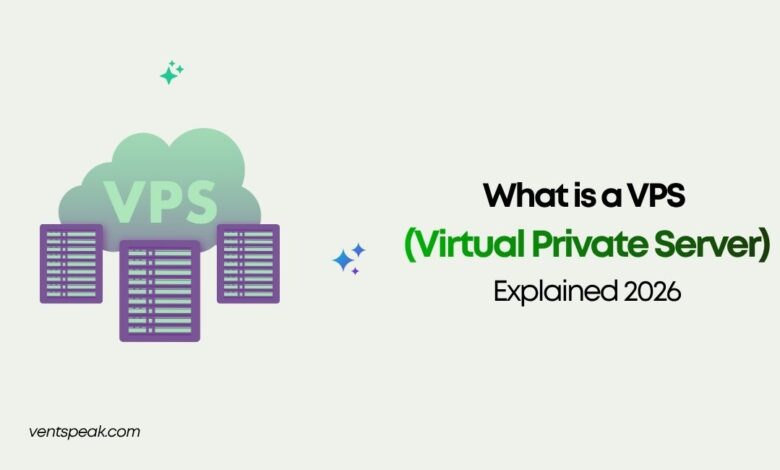
A Virtual Private Server (VPS) is an isolated, virtualized hosting environment created by partitioning a physical server using a hypervisor software layer. A vps server allocates dedicated computing assets—specifically vCPU cores, RAM, and NVMe flash storage—to a single user account. While you still share the underlying physical hardware with other tenants, your server operating system is completely independent. This setup prevents resource interference and guarantees root-level administrative access.
How Does a Virtual Private Server Work?
To understand what is vps server design, it helps to understand hypervisor orchestration. Virtualization engineers use standard bare-metal server hardware and layer a hypervisor (such as KVM or Proxmox) directly on top of the bare metal.
The hypervisor acts as an automated infrastructure traffic cop. It splits the physical compute power, memory, and high-speed NVMe arrays into distinct, sandboxed virtual environments.
Because each virtual private server web hosting instance runs its own isolated kernel and operating system (such as Ubuntu Linux or Windows Server), your applications are completely safe from neighboring traffic spikes. If another account on the same physical host experiences an unexpected traffic surge, your dedicated vCPU and RAM thresholds remain unaffected.
Shared vs. VPS vs. Dedicated Hosting
To understand the core differences between these three primary architectural paths, consider this clear, structural breakdown:
| Hosting Parameter | Shared Web Hosting | Virtual Private Server (VPS) | Dedicated Server Hardware |
| Compute Resource Allocation | Shared across hundreds of users | Fully isolated and guaranteed | 100% exclusive to your business |
| Root/Administrative Access | Strictly prohibited | Complete root-level command access | Full hardware configuration control |
| Noisy-Neighbor Vulnerability | High risk | Zero risk (isolated boundaries) | Non-existent |
| Scalability Horizon | Rigid; hard limits | Elastic; near-instant upgrades | Manual hardware changes needed |
| Average Price Point | Very Low ($3–$10/mo) | Moderate ($5–$80/mo) | Premium ($100–$400+/mo) |
Cloud VPS Hosting vs. Traditional VPS
The shift toward cloud vps hosting structures has fundamentally transformed how developers approach reliability.
- Traditional VPS Systems: Your virtual instance lives on a single, specific physical machine. If that hardware suffers a mechanical failure or a motherboard crash, your site stays down until technicians can repair the physical box.
- Modern Cloud VPS Architecture: Your server configuration runs on a High-Availability (HA) cluster backed by distributed storage networks (like Ceph). If a hardware node goes offline, your virtual machine automatically reboots on a healthy node within the cluster inside of minutes—delivering near-perfect uptime metrics.
Read More Blogs:
5 Best Web Hosting Providers in 2026: Features, Pricing, and Expert Reviews
9 Best Free Web Hosting With cPanel : Ultimate Guide 2026
Step-by-Step Guidance: Hardening Your New VPS Instance
Because a virtual private server gives you full administrative control, managing security falls to your team. Use this checklist to secure a fresh Linux VPS installation before launching your apps:
1.Update the System Package Repositories:Initial Configuration.
Log into your terminal using SSH and execute the system update command string. This patches any day-zero vulnerabilities inside the baseline operating system.
2.Create a Non-Root System User Account:Access Control.
Running systems as the absolute ‘root’ admin poses security risks. Create a dedicated user account with sudo privileges to manage your daily tasks securely.
3.Enforce SSH Key Authentication:Cryptographic Security.
Disable traditional password logins, which are vulnerable to automated brute-force scripts. Generate a secure SSH cryptographic key pair and add your public key to the server.
4.Configure a Basic Firewall Rule Matrix:Network Defense.
Turn on a system firewall tool (like UFW on Ubuntu). Block all unrequired inbound network access ports, leaving open only Port 22 (SSH), Port 80 (HTTP), and Port 443 (HTTPS).
5.Install an Intrusion Prevention Engine:Brute Force Prevention.
Deploy a utility like Fail2Ban. This software scans server access logs for repeated failed login attempts and blocks malicious IP addresses at the firewall layer.
Leading Virtual Private Server Providers
Selecting a reliable provider means evaluating performance consistency, data center locations, and how well their infrastructure scales. Top choices include:
- Developer-First Ecosystems: Providers like DigitalOcean, Linode (Akamai), and Vultr are highly favored by technical teams for their straightforward, hourly API-driven compute footprints.
- High-Availability Specialist Hosts: Modern infrastructure teams look to architectures like MassiveGRID, which build high-availability storage grids directly into entry-tier plans to maximize uptime.
- Massive Hyper-Scale Options: For large enterprise needs, platforms like Amazon Web Services (AWS) LightSail or Google Cloud Compute Engine provide deeply integrated ecosystems for complex cloud applications.
Conclusion and Strategic Takeaways
A virtual private server delivers the perfect balance of control, performance, and value. By giving your team isolated resources and full administrative freedom, a VPS allows you to run optimized web configurations that simple shared hosting cannot handle.
When choosing your ideal setup, prioritize providers that offer fast NVMe flash storage, robust virtualization layers, and clear pricing structures. Taking the time to properly secure your server instance guarantees a fast, safe, and highly reliable launch for your digital platform.
For a visual breakdown of how these distinct hosting categories manage server architecture, look at this comprehensive VPS Hosting Explained video. This guide provides a straightforward comparison of performance, pricing, and resource setups across top industry hosting options.
Frequently Asked Questions
What is vps server unmanaged vs. managed deployment?
Unmanaged VPS setups give you raw root access, meaning you handle the entire operating system configuration, security patches, and application stacks yourself. Managed VPS options transfer these system administration duties, updates, and monitoring tasks to the hosting provider’s support team.
Is a virtual private server secure enough for transactional e-commerce platforms?
Yes. Because every VPS container features completely isolated file systems and dedicated software environments, you can easily install advanced encryption modules, configure custom firewalls, and meet rigid financial PCI-DSS compliance standards.
How much RAM and vCPU compute capacity do I need for a startup?
A lightweight production app or low-traffic WordPress environment runs smoothly on 1 to 2 vCPU cores paired with 2GB of RAM. High-traffic systems, modern Node.js apps, or heavy WooCommerce catalogs typically require a mid-tier plan with 4 vCPU cores and 8GB of RAM.
Can I host multiple websites inside a single virtual private server?
Yes. With full root-level control, you can install custom server dashboards (like CyberPanel or CloudPanel) or manage reverse proxies (like NGINX) to run dozens of separate sites and databases on a single instance, provided you have enough RAM and storage.
Why are modern businesses moving away from traditional cloud platforms back to a simple VPS?
Many organizations are opting for high-performance VPS setups to avoid the complex setups and unpredictable bandwidth fees common with hyper-scale cloud ecosystems. A standard VPS delivers simple, predictable monthly pricing with plenty of raw compute power.