
SSD vs NVMe Hosting: Which Delivers Better Website Performance?

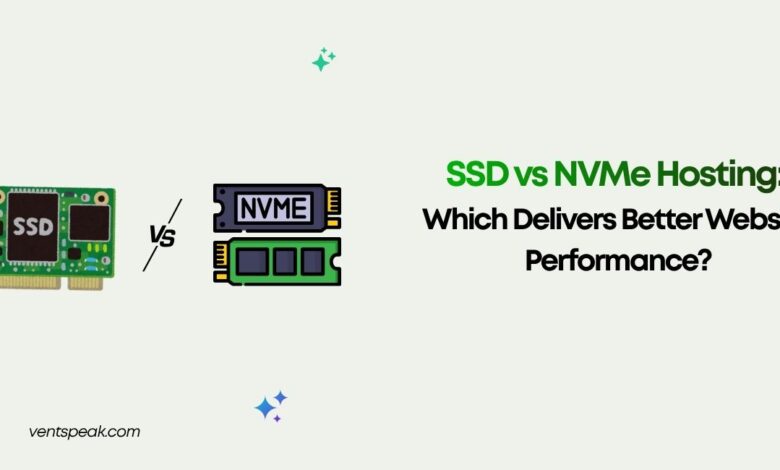
When choosing a modern hosting plan, “fast” is no longer the only metric that matters. How that speed is achieved at the hardware level dictates whether your website can scale under a massive traffic spike or crumble under the weight of simultaneous database requests.
If you are currently evaluating your options, you have likely run into the terms SSD vs NVMe hosting. Both are solid-state storage options that leave legacy spinning hard disk drives (HDDs) in the dust, but the underlying performance gap between standard SSD and NVMe is massive. Let’s break down exactly how these technologies compare and which hosting type your website actually needs.
SSD vs NVMe Hosting
If you want a fast, high-level comparison, here is the short answer:
NVMe hosting is the superior and modern choice. While traditional SSD hosting utilizes the older SATA interface (which caps data transfer speeds at roughly 550 to 600 MB/s), NVMe hosting connects directly to the server’s PCIe bus, unlocking speeds anywhere from 3,500 MB/s to over 7,000 MB/s.
Choose SSD hosting if you run a simple, low-traffic portfolio or a static website on a tight budget. Upgrade to NVMe hosting if you manage a database-heavy site (like WordPress or Magento), run an e-commerce store, or expect high, concurrent traffic spikes.
Understanding the Technologies
To truly understand SSD vs NVMe hosting, we have to demystify a common misconception: NVMe is actually a type of SSD. They are not entirely distinct storage mediums, but rather different ways that flash-based storage talks to the rest of the server.
- SATA SSD (Standard SSD): When hosting providers advertise standard “SSD Hosting,” they are usually referring to Solid-State Drives that connect via the SATA (Serial ATA) interface. SATA was originally designed in the early 2000s for slow, mechanical spinning hard drives. Standard SSDs made these connections much faster, but they are physically bottlenecked by the SATA III speed limit of around 600 MB/s.
- NVMe SSD: NVMe stands for Non-Volatile Memory Express. It is a protocol built from the ground up specifically for high-speed flash memory. Instead of squeezing through the slow SATA bridge, NVMe drives plug directly into the motherboard’s PCIe (Peripheral Component Interconnect Express) lanes, connecting directly to the CPU.
Key Differences: SSD vs NVMe Hosting
When evaluating web hosting infrastructure, raw megabytes-per-second tell only half the story. The true performance of a web server relies on latency and parallel processing.
1. Data Transfer Speed (Throughput)
- Standard SSD: Top out at roughly 500 to 550 MB/s for sequential reads and writes.
- NVMe SSD: PCIe Gen 3 NVMe drives easily hit 3,500 MB/s, while newer Enterprise PCIe Gen 4 or Gen 5 drives can exceed 7,000 to 12,000 MB/s. This results in a massive 6x to 20x performance multiplier in raw data transfer.
2. Input/Output Operations Per Second (IOPS)
IOPS measures how many individual read or write tasks a drive can handle in a single second. This is crucial for web hosting because dynamic sites constantly make tiny read/write requests.
- Standard SSD: Processes up to 100,000 IOPS.
- NVMe SSD: Easily scales past 500,000 to over 1,500,000 IOPS.
3. Latency and Queue Depth
A standard SATA connection can only process one queue at a time, containing up to 32 commands. NVMe supports up to 64,000 queues, with each queue handling up to 64,000 concurrent commands. This massive parallelism reduces latency from 80-100 microseconds down to less than 10 microseconds.
| Performance Metric | Standard SATA SSD Hosting | NVMe SSD Hosting |
| Interface | SATA III (Legacy HDD Bridge) | PCIe Bus (Direct CPU Path) |
| Max Read/Write Speed | ~500 to 550 MB/s | ~3,500 to 7,000+ MB/s |
| Command Queues | 1 queue (32 commands deep) | 64,000 queues (64,000 commands deep) |
| Average Latency | 80 to 100 microseconds | Less than 10 microseconds |
| Best For | Static sites, portfolios, small blogs | E-commerce, high-traffic portals, web apps |
Real-World Use Cases: Which One is Right for You?
While NVMe is technically superior, you don’t always need an enterprise-grade racing car to drive down the block. Your choice should depend on what your website actually does.
Choose Standard SSD Hosting If:
- You run a static site: If your site is built using HTML/CSS or has minimal interactive elements, your pages don’t require heavy database processing. Standard SSDs will load your assets incredibly fast anyway.
- You have a low-traffic blog: For smaller personal sites or portfolio pages, standard SSD performance is perfectly adequate and keeps hosting costs low.
- Budget is your top priority: Standard SSD plans are highly economical and still vastly outperform old-school HDD hosting.
Choose NVMe Hosting If:
- You run a WordPress or Magento E-commerce Store: E-commerce sites are highly dynamic. Every search, filter, cart addition, and checkout triggers a database query. NVMe speeds up these database transactions significantly, reducing cart abandonment.
- You manage high-traffic portals: If you host a community forum, a membership platform, or a news website with massive daily visitors, NVMe’s high IOPS prevents the server from choking during concurrent traffic spikes.
- You run SaaS applications or APIs: Applications that rely on real-time data streaming, fast file transfers, or heavy API calls require the absolute lowest possible latency to function smoothly.
Read More Blogs:
5 Best Web Hosting Providers in 2026: Features, Pricing, and Expert Reviews
9 Best Free Web Hosting With cPanel : Ultimate Guide 2026
What is server hosting? The Ulitimate Guide
How CDN Improves Website Speed and Performance
Best Server Performance Monitoring Software to Try in 2026
Common Hosting Mistakes to Avoid
- Assuming SSD always means NVMe: Some cheap hosts advertise “SSD Hosting” using big, flashy banners, hoping you will assume it is the fastest tier. Read the technical specs carefully to confirm whether they use SATA or PCIe NVMe drives.
- Overlooking CPU and RAM bottlenecks: Ultra-fast NVMe storage won’t save your site if your hosting plan limits you to weak CPU cores and low RAM allocations. Ensure your entire hosting environment is balanced.
- Ignoring caching layers: Even with NVMe, server-side caching (like LiteSpeed LSCache, Redis, or Memcached) is essential. High-performance storage and proper caching should work hand-in-hand.
Frequently Asked Questions
Is NVMe always better than standard SSD for hosting?
Yes, NVMe is structurally superior to standard SATA SSDs in every technical performance metric, offering higher speeds, lower latency, and massive parallel processing power. However, standard SSDs are still a highly reliable, cost-effective choice for smaller, low-traffic sites.
Will switching to NVMe hosting improve my SEO?
Indirectly, yes. Page experience and site loading speed are recognized Google ranking factors. Because NVMe hosting dramatically improves server response times (TTFB – Time to First Byte), it can help your pages load faster, potentially boosting your search engine rankings and user retention.
What makes NVMe faster than traditional SSD?
Standard SSDs connect via the SATA interface, which was designed for old-school hard drives and tops out at 600 MB/s. NVMe drives bypass SATA entirely and plug directly into the server’s high-speed PCIe lanes, communicating directly with the CPU at speeds up to 7,000+ MB/s.
Is NVMe hosting more expensive?
Because of the advanced hardware and enterprise-grade servers required, NVMe plans can be slightly more expensive than standard SATA SSD plans. However, as NVMe technology becomes the industry standard, the price gap has shrunk significantly, making it incredibly accessible even on shared and VPS hosting packages.
Can I upgrade from SSD to NVMe hosting later?
Absolutely. Most modern hosting providers allow you to migrate your site between server tiers. If your website is growing and you begin experiencing database bottlenecks or slower page loads during traffic spikes, upgrading to an NVMe-powered VPS or Cloud hosting plan is a highly effective way to instantly boost performance.




